
Notifications
Notifications serve the purpose of notifying you with content updates, system updates, or with messages from your course instructor. The notification system currently only alerts within the application. Notifications will look like this below:
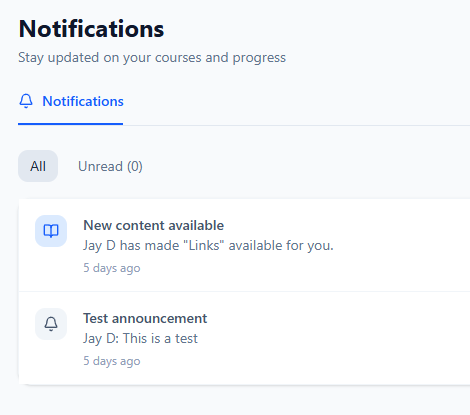
Course updates such as grades, new content added, and progress will notify you. Announcements from professors will also notify you.
To read a notification, simply click the message and it will be marked "read". Unread notifications are available under the "Unread" tab for organization purposes.
Unread notifications will look this like this:
For simplicity sake, you also have the option to mark all unread notifications as "read". Look for the option at the top right above the notifications: